Stop Saving, Start Using: The Truth About Your Bookmark Graveyard
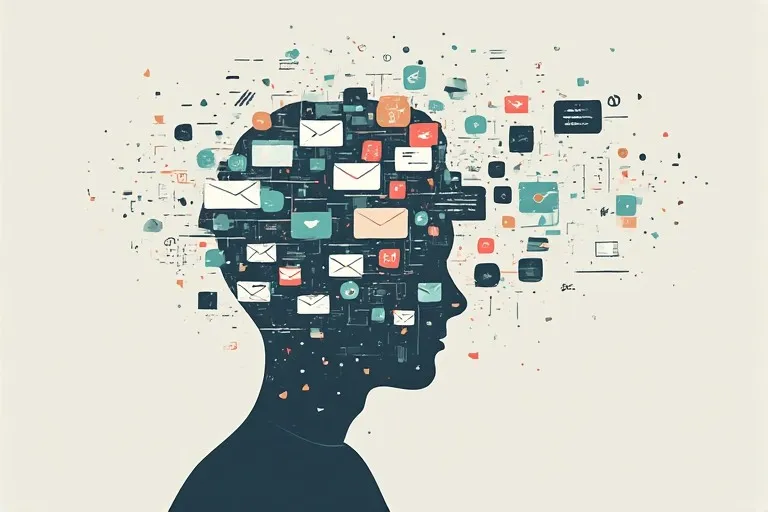
Photo: messy overflowing browser bookmarks digital clutter concept, via pnwtechlife.com
Open your browser bookmarks right now. Go ahead, we'll wait.
If you're like most people, what you just saw was a chaotic mess of folders with names like "Read Later," "Important!!," and "Recipes Maybe?" — most of which haven't been touched since sometime around 2019. There's probably a link to an article about productivity in there. Several, actually. The irony is not lost on us.
We're living in the golden age of saving things we never look at again. And honestly? It's kind of a problem.
Your Brain Is Playing Tricks on You
Here's the uncomfortable truth: the act of bookmarking something feels like doing something. Psychologists call this the "completion illusion" — when you save a link, your brain registers a tiny hit of satisfaction, almost as if you've already read the thing. You haven't. But your nervous system doesn't totally know the difference.
This is the same mental glitch that makes people buy gym equipment instead of actually going to the gym. The preparation feels like progress. Saving a link about learning Spanish feels vaguely like learning Spanish. It doesn't work that way, obviously, but try telling that to your dopamine receptors.
The result? Most people accumulate what can only be described as a digital hoard. Thousands of URLs sitting in folders, aging quietly, becoming increasingly irrelevant, and contributing absolutely nothing to your actual life.
The Hidden Cost of the Endless Save
Beyond the obvious clutter, there are some real downstream effects to keeping a bloated bookmark library.
First, there's the cognitive weight. Even if you're not actively thinking about your saved links, the knowledge that they exist — unread, unprocessed, piling up — creates a low-grade mental background noise. It's the digital equivalent of a junk drawer that you can feel even when the drawer is closed.
Second, it degrades the actual utility of bookmarking. When everything gets saved, nothing gets prioritized. Your truly important links — the ones you genuinely need to revisit — get buried under seventeen articles about sourdough bread and a Wikipedia rabbit hole from 2021.
Third, and maybe most importantly, it keeps you in a passive consumption loop. You're endlessly collecting without ever synthesizing, processing, or applying anything. That's not learning. That's digital hoarding with extra steps.
Why "Read It Later" Apps Aren't the Answer (Alone)
Pocket, Instapaper, Matter — these tools are genuinely useful, but they've also become the fancier version of the same problem. People sign up, enthusiastically save 300 articles in the first week, and then never open the app again. The interface is cleaner than Chrome bookmarks, sure, but a prettier graveyard is still a graveyard.
The issue isn't the tool. It's the system — or rather, the total absence of one.
Saving content without a clear intention for why you're saving it and when you'll actually use it is just hoarding with a subscription fee attached.
What Actually Works: Building a System With Intent
Okay, so what do you do instead? Here's a framework that's practical enough to actually stick with.
1. The 48-Hour Rule If you save something, you have 48 hours to either read it or delete it. No exceptions, no extensions. This sounds harsh, but it forces you to be honest about what you actually want to engage with versus what you're saving out of vague FOMO. Most of the time, you'll find you don't miss the things you delete.
2. Save With a Question, Not a Topic Instead of saving something because it's "interesting" or "relevant to your work," save it because it answers a specific question you're currently asking. "How do I negotiate a raise?" is a question. "Career stuff" is a void where links go to die. When your saved content maps to real, active questions in your life, you'll actually go back to it.
3. Process Beats Archive Tools like Notion, Obsidian, or even a basic notes app are infinitely more useful than a bookmark folder — but only if you use them for processing, not just storing. The goal isn't to move your links from one container to another. It's to extract something from them: a key idea, a quote, a decision, an action step. Even one sentence of your own writing about why a link mattered transforms it from passive clutter into active knowledge.
4. Do a Monthly Purge Set a recurring calendar reminder — first Sunday of every month works well — and go through whatever you've saved. Anything older than 30 days that you haven't touched gets deleted without mercy. You'll feel lighter immediately. Studies on digital decluttering consistently show that people experience a measurable reduction in anxiety after clearing out stale digital content. Your bookmarks included.
5. Limit Your Containers Pick one place to save things and stick with it. Not bookmarks and Pocket and a Notion database and saved tweets and email drafts to yourself. One place. The friction of having a single, slightly inconvenient container is actually good — it makes you more selective about what earns a spot.
The Bigger Picture
There's something worth stepping back and acknowledging here: we live in an era of genuinely overwhelming information abundance. The internet produces more content every single day than any human could consume in several lifetimes. The old instinct to "save everything that might be useful" made some sense when good information was scarce. It makes zero sense now.
The skill that actually matters in 2025 isn't finding information — it's filtering it. Knowing what to ignore is more valuable than knowing what to save. Every link you don't bookmark is a small act of cognitive self-defense.
At DF999 Link Hub, we spend a lot of time thinking about how people navigate the web and why so much of that navigation leaves people feeling overwhelmed rather than informed. The bookmark graveyard is one of the clearest symptoms of a broader issue: we've built incredible tools for saving the internet, and almost no habits for actually using what we save.
Your browser's bookmark toolbar isn't a library. It's a waiting room where content goes to be forgotten. The sooner you treat it that way — and build something intentional in its place — the more useful your entire relationship with the internet becomes.
Now go delete something. You'll feel better. Promise.